
How to support your child in online music lessons
In an online lesson, your job isn't to teach but to set the stage. What to do before, during and after so your child gets the most out of every session.
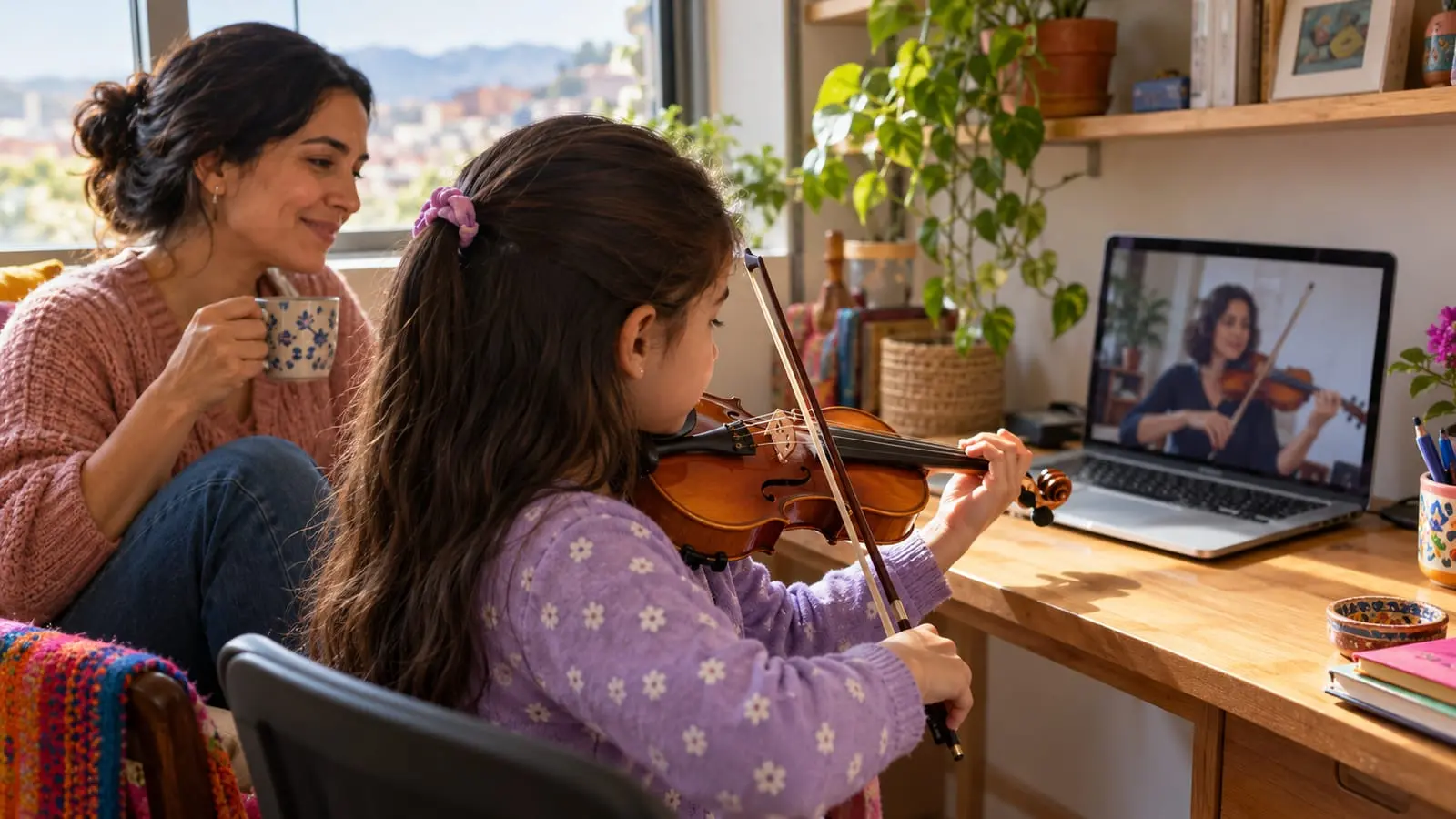
In an online music lesson, your role is to prepare for the lesson, rather than teach it yourself or override the teacher's corrections: make sure the instrument is in tune, the camera shows what the teacher needs to see, there are no interruptions and your child practices what they learn during the week. The younger your child, the closer you need to be.
This guide covers three stages—before, during and after the lesson—with adjustments for age and instrument.
In short
- Ten minutes of preparation before a lesson can prevent plenty of problems: tune, charge, connect and mute.
- The camera should show what the teacher needs to correct: hands, posture or the whole body, depending on the instrument.
- During the lesson, stay close without stepping in: the teacher leads, and you help when asked.
- The younger the child, the more involved the adult needs to be; with older children, being available is enough.
- What happens afterward—writing down assignments and practicing at home—determines how much your child gets out of the lesson.
Before the lesson: ten minutes that make all the difference
Logging in right at the start, with an out-of-tune instrument and a laptop with no battery, eats up a good part of the lesson. Try this short routine before each session:
- Tune the instrument. Young children can't tune a violin or guitar on their own; use the online tuner a few minutes beforehand.
- Charge the device and, if possible, connect near the router or use a wired connection.
- Keep materials handy: sheet music, assignment notebook, pencil, eraser, music stand and, if needed, drumsticks or rosin.
- Take care of the basics first: a bathroom break, water and something to eat, to avoid interruptions.
- Let everyone at home know: no vacuum cleaner, TV or blender during the lesson.
- Mute notifications and log in five minutes early to test the audio and camera.
A quick guide to the space and camera
The teacher can only correct what they can see. Before the first lesson, test device placement together:
| Instrument | Camera position | What the teacher needs to see |
|---|---|---|
| Piano | To one side, slightly above the keyboard. | Both hands, posture and feet on the pedals. |
| Violin | In front and slightly to one side, far enough away to show the whole instrument. | The whole bow, the left hand and the violin's position. |
| Guitar | In front, at chest height. | Both hands and seated posture. |
| Singing | In front, at eye level. | Face, neck, shoulders and breathing. |
| Introductory music | Farther away, with a wide view. | The whole body, since the lesson includes movement and dancing. |
One technical detail makes a difference: enable original sound or disable noise suppression in the video call, since it often cuts out the instrument's sound. For more detail, read how to prepare your space for online lessons and what equipment you need.
During the lesson: stay close without stepping in
How close you need to be depends on your child's age:
| Age | Where to be | What to do |
|---|---|---|
| Ages 3 to 5 | Beside your child, in the frame or just outside it. | Join in games when the teacher asks and help with the instrument and camera. |
| Ages 6 to 8 | In the same room or very close by. | Observe, write down assignments and help only when the teacher asks. |
| Ages 9 to 12 | At home and available. | Check in at the beginning and end; let your child manage the lesson. |
| Teenagers | Wherever they prefer. | Respect their space and speak with the teacher from time to time. |
Things to avoid, even with good intentions:
- Correcting your child while the teacher is talking.
- Answering for your child when the teacher asks a question.
- Laughing at mistakes or discussing them with someone else in the room.
- Making other calls or watching TV in the same space.
- Repeating everything the teacher says: your child needs to build that relationship directly.
When you should step in
- When there's a technical problem: the connection drops, there's no sound or the camera has moved.
- When the teacher asks for help: adjusting the music stand, tuning a string or holding the sheet music.
- When your child is very frustrated or tired: a short water break can save the lesson. If it happens often, discuss it with the teacher afterward.
- When the instrument is at risk: a violin about to fall can't wait.
- With younger children, to help with movement games or finding a key.
It's a good idea to agree on your role with the teacher from the very first lesson. Every teacher works differently: some prefer you to be closely involved, while others ask for more space so your child can become more independent.
After the lesson: the rest of the week matters
The lesson lasts a short time; what happens over the other six days determines progress.
- Ask your child to show you what they learned right after the lesson or that evening: teaching is the best way to review.
- Write down the assignments in the notebook, or ask the teacher to send them in a message with the goal of each exercise.
- Schedule the week's practice: set days and times, with short sessions.
- Record a short practice video midweek, if the teacher agrees to review it.
- Keep recordings of the lesson only if the teacher agrees; always ask before recording.
To organize daily practice, read how to practice music at home.
Clear agreements with the teacher
Good communication with the teacher is also part of supporting your child. Agree on these points from the start:
- Which communication channel you'll use and at what times.
- What to do if the connection drops: reconnect, switch to a phone call or make up the lost minutes.
- How much notice to give for a cancellation.
- Your role during the lesson.
- How often you'll spend a few minutes discussing progress.
Also let the teacher know what's happening at home: a week of school exams, a practice session that didn't go well or a song your child dreams of playing. At Gissi, we check in weekly, so that information arrives in time to adjust the next lesson. If you're still choosing a format, our online music lessons page explains how they work.
Frequently asked questions
At what age can a child start online music lessons?
From an early age, as long as an adult provides close support. Between ages 3 and 5, online lessons work best with an adult beside the child; by around age 9, many children can manage lessons quite independently.
Which instruments work well for children's online lessons?
Piano, guitar, singing, violin and introductory music lessons adapt well when the camera and audio are set up properly. With very loud instruments, such as drums, test the audio with the teacher before the first lesson.
Should I stay in the lesson or leave my child alone?
It depends on your child's age and needs. With young children, your presence is necessary; with older ones, being available is enough. What matters is agreeing on this with the teacher and letting them handle the teaching.
What should I do if my child gets very distracted in front of the screen?
Remove other devices from the space, close tabs and windows, and position the screen so your child can see the teacher clearly. If the distraction continues, discuss it with the teacher: shorter lessons or more movement activities may help.
Sources
We checked the facts in this article against these sources on October 22, 2026.